Microsoft is introducing a Simulation mode for customer classifiers that lets you preview which content in your organization will be classified with it before a production rollout. This will be similar to the Simulation mode offered by Auto-labeling policies. The option will be optional and will be presented to the Admin before publishing a custom classifier. Targeted release will begin early November, and general availability is scheduled to finish sometime in March 2026. Please refer to the following Q&A for more information:
Does the change alter how existing customer data is processed, stored, or accessed? Classifiers will be simulated on production data, but not published, allowing analysis without altering data classification outcomes.
Does the change introduce or significantly modify AI/ML or agent capabilities that interact with or provide access to customer data? Introduces classifier health monitoring logic that evaluates classifier performance and flags inefficiencies.
Does the change modify how admins can monitor, report on, or demonstrate compliance activities? Adds new health insights and monitoring capabilities for custom classifiers in the compliance portal.
Does the change include an admin control, and can it be controlled through Entra ID group membership? Simulation and publishing options are available to admins; access can be managed via role-based permissions.
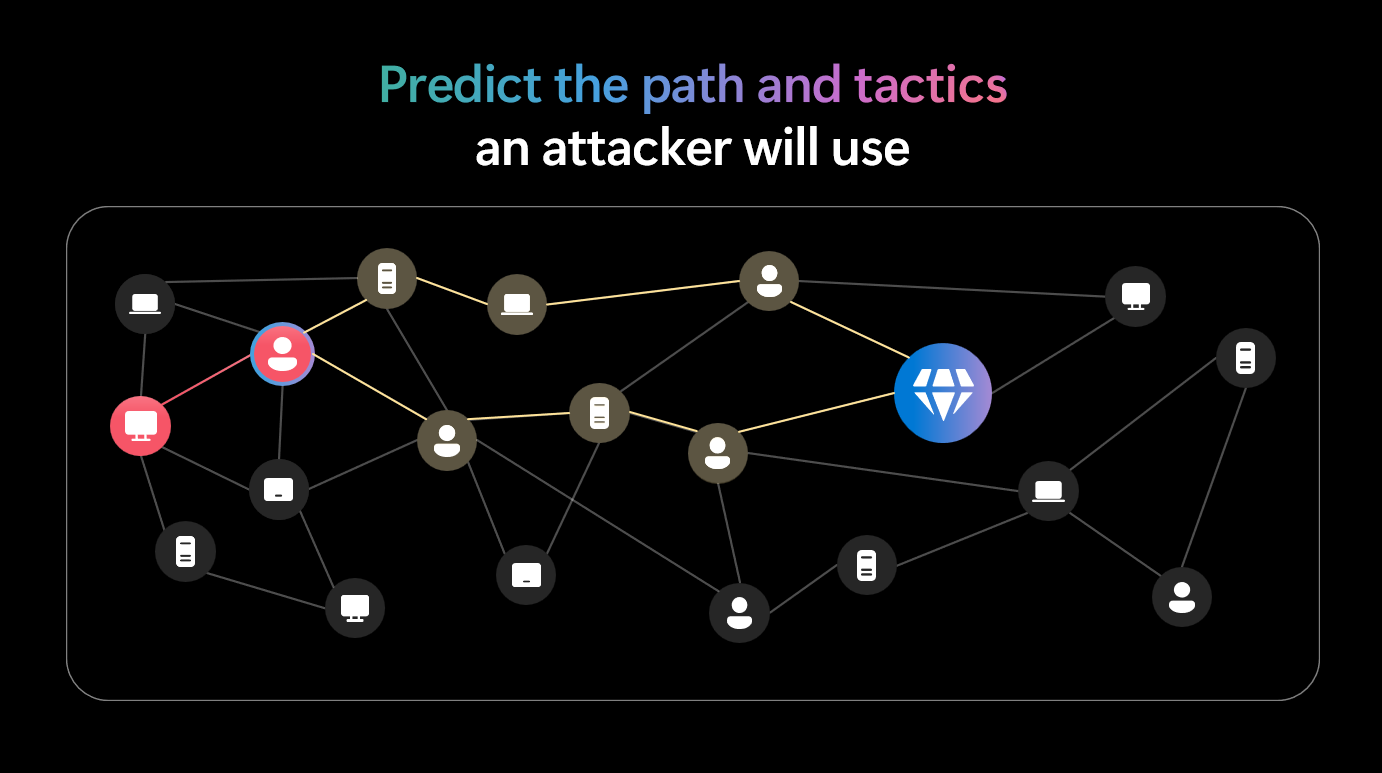
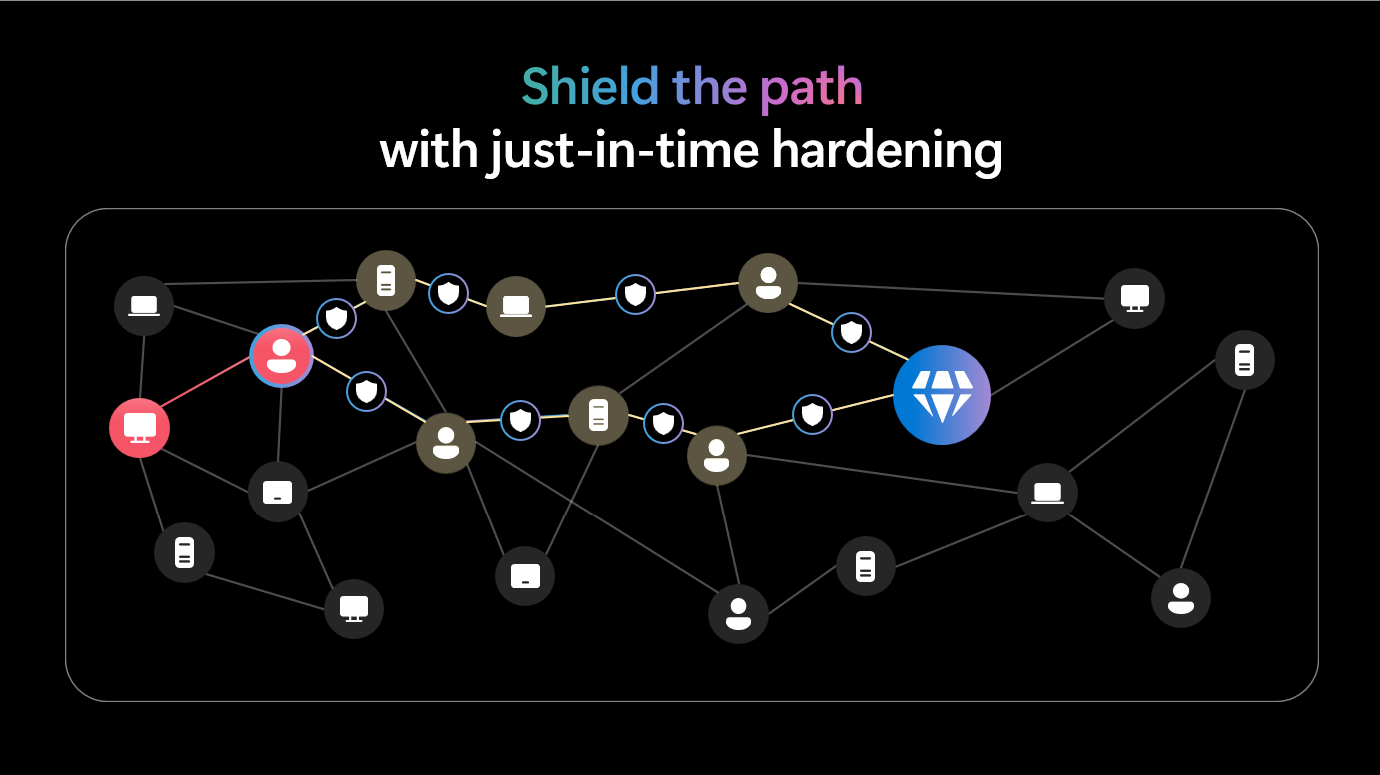
At Microsoft Ignite 2025, Microsoft announced major enhancements to Defender for Endpoint to improve proactive threat prevention and simplify security management. Key innovations include predictive shielding, which uses AI and threat intelligence to anticipate attacker moves and apply just-in-time hardening controls during active attacks; custom data collection, enabling organizations to tailor telemetry within the Defender portal without relying on external tools; and expanded support for legacy Windows systems like Windows 7 and 2008 R2 to close security gaps. Additionally, new deployment tools for Windows and Linux streamline onboarding across diverse environments, reducing complexity and improving coverage. These updates position Defender as a leader in autonomous defense, capable of disrupting ransomware attacks in minutes while giving security teams full visibility and control.
Microsoft is strengthening the security of Microsoft Entra ID authentication by implementing a stricter Content Security Policy (CSP) that blocks external script injection. Starting globally in mid-to-late October 2026, only scripts from trusted Microsoft domains will be allowed during browser-based sign-in experiences on login.microsoftonline.com, preventing unauthorized or malicious code execution, such as cross-site scripting (XSS). Organizations using tools or browser extensions that inject scripts into the sign-in page must switch to alternatives, as these will no longer work. Microsoft advises testing sign-in flows in advance to identify violations and ensure a smooth rollout, helping safeguard users and maintain a seamless authentication experience.
Microsoft Entra announced new advancements in securing identity and network access in the era of AI and agent-based systems at Microsoft Ignite. Key updates include expanded capabilities for Microsoft Entra Agent ID to manage and govern AI agents, new features in Agent 365 for enterprise-ready agent security, and enhancements to Microsoft Entra Internet Access for safeguarding generative AI usage. It also introduces multilayered defenses, such as phishing-resistant MFA, synced passkeys, and risk-based access controls, to counter rising AI-driven cyberattacks. Additionally, Microsoft is rolling out Security Copilot agents to automate identity risk management, access reviews, and app lifecycle governance, while enabling secure integration through the MCP Server for Enterprise. These innovations aim to accelerate AI adoption while maintaining Zero Trust principles and reducing security risks.
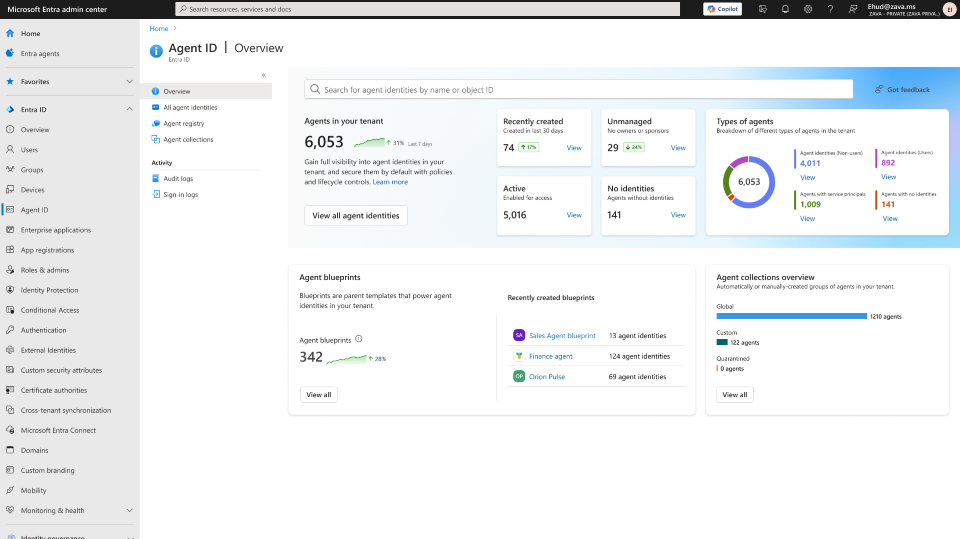
Microsoft is enhancing Organizational Messages in Microsoft 365 by introducing email as a new delivery channel, expanding beyond existing message vectors such as the Windows Taskbar, Windows Notifications, Windows Spotlight, and Teams popovers. With this update, admins can now deliver Organizational Messages via email, alongside existing surfaces such as Windows Spotlight, the Taskbar, the Notification Center, and Teams popovers. Rollout begins in late March 2026 and is expected to be completed by late April 2026.
During Public Preview, new pre-built email templates will be available, including:
Two welcome messages: Welcome to Copilot and Welcome to Copilot Chat.
Six weekly Great M365 Copilot Journey emails: highlighting features and best practices to drive onboarding and adoption.
This enhancement ensures messages reach users through familiar channels, helping organizations improve communication and accelerate Copilot adoption.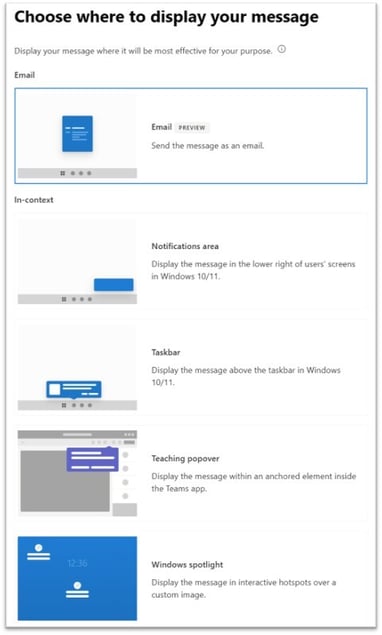
Agent flows in Microsoft Copilot Studio now include a new action, "Request for Information". This enables the Agent to pause mid-flow to ask the user for additional information to complete the request. This action should reduce the number of flow failures and restarts, and collect additional information, such as approvals or supporting documents.
Windows 10 reached the end of support in October, meaning devices running these versions will no longer receive security or preview updates. Windows 10 devices eligible to upgrade to Windows 11 can be upgraded via Microsoft Intune, Windows Autopatch, or Windows Autopilot. If organizations must keep a Windows 10, version 22H2 device, these can be enrolled in the Extended Security Updates (ESU) program (https://learn.microsoft.com/en-us/windows/whats-new/enable-extended-security-updates) to receive critical security updates.
Microsoft is enabling stronger security protections across Microsoft Teams by turning on several Messaging Safety controls by default. These changes roll out on January 12, 2026, and apply to tenants that have never customized their messaging safety settings. Tenants which have had messaging safety settings customized and saved will not be affected.
Starting January 12, three protections will automatically switch to ON for organizations with untouched messaging safety settings:
Weaponizable File Type Protection
Blocks messages containing high‑risk file types commonly used to deliver malware.
Malicious URL Protection
Scans links in real time and adds warning labels to suspicious URLs.
Report Incorrect Security Detections
Allows users to flag false positives directly in Teams.
Steps to prepare:
1. Review settings in Teams Admin Center → Messaging → Messaging settings → Messaging safety.
2. Adjust settings that fit your business's security goals - in most instances, these should be turned on, per Microsoft's new defaults.
3. Save any changes before January 12, 2026.
Before enabling, AdaptivEdge always recommends communicating early to impacted users. They can expect to see warning labels on sharing links or blocked messages. Informing users can help reduce confusion and prevent unnecessary support tickets.
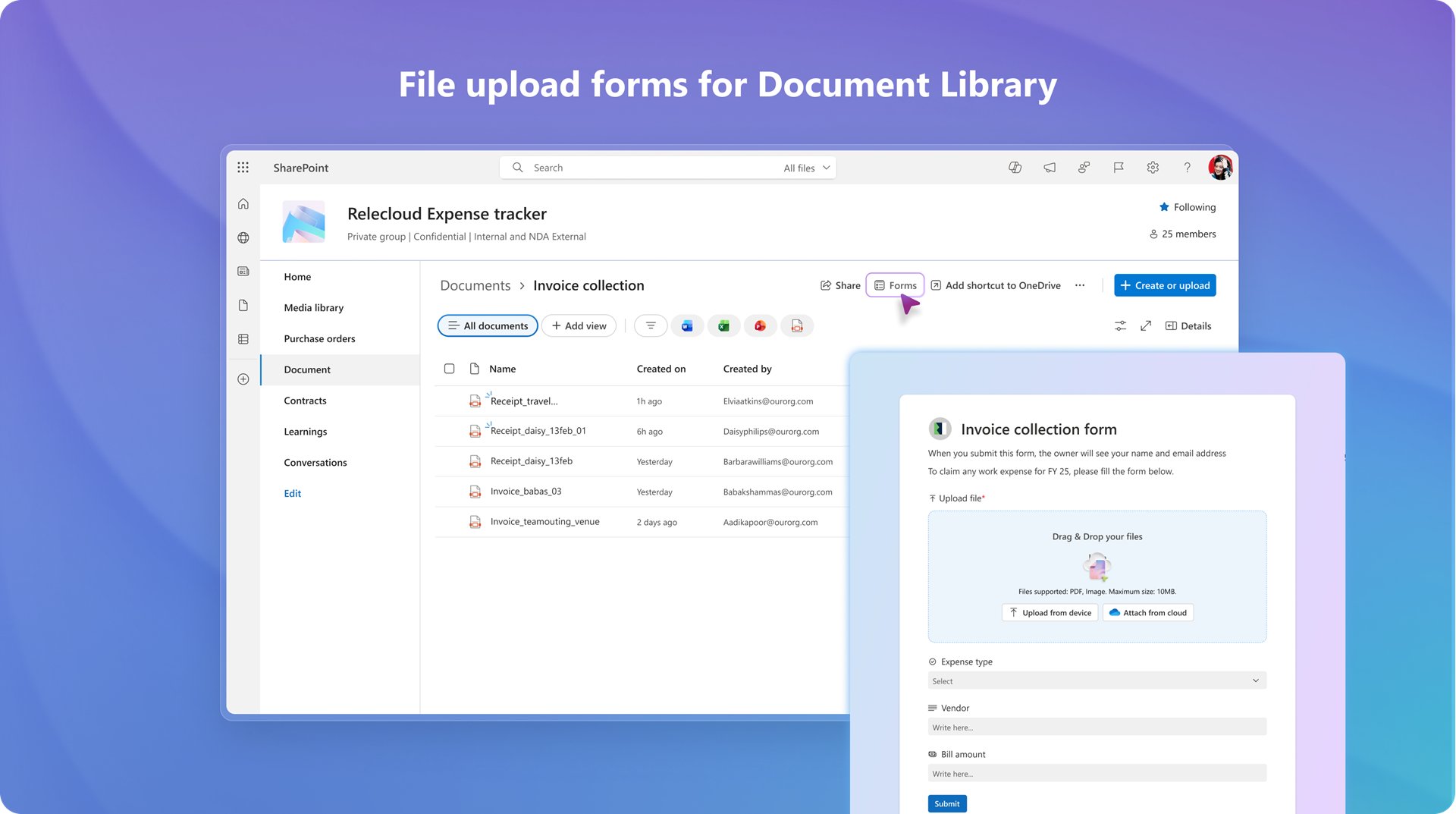
In on-prem SharePoint, admins could define required metadata to be collected when a new document is submitted. This feature was not available on SharePoint Online. As of late November 2025, SharePoint document library owners and editors can create modern file upload forms, similar to Microsoft list forms, to gather files and related information without exposing the full library. This General Availability change is expected to finish this month, in January 2026, and will be available by default.